Product tour

Four steps from campaign link to analytics — real app screens, no signup required.

Step 1

Create a campaign link

Paste your URL, attach UTMs, pick a custom domain, and set a branded alias.

  • UTM parameters preserved on redirect
  • Custom domain per campaign (Pro+)
  • Branded aliases instead of random codes
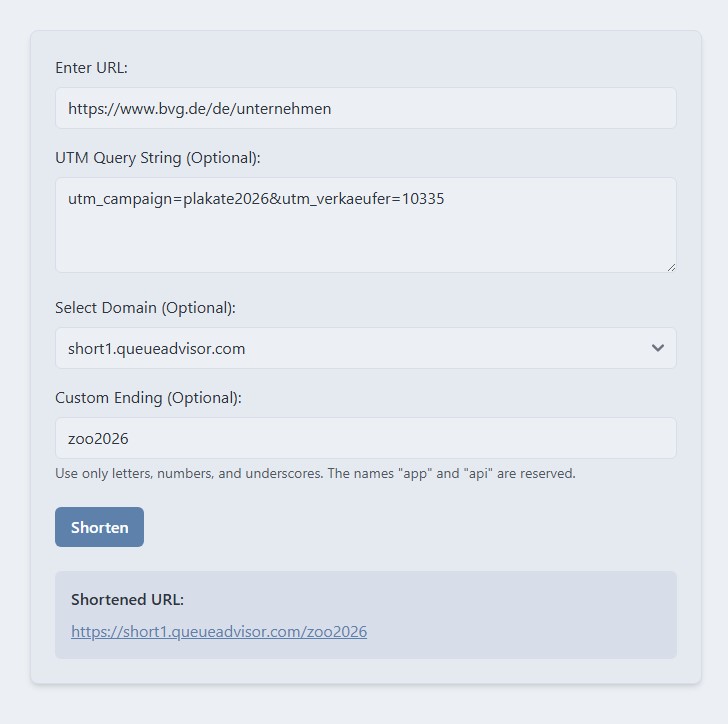
Shorty shorten form
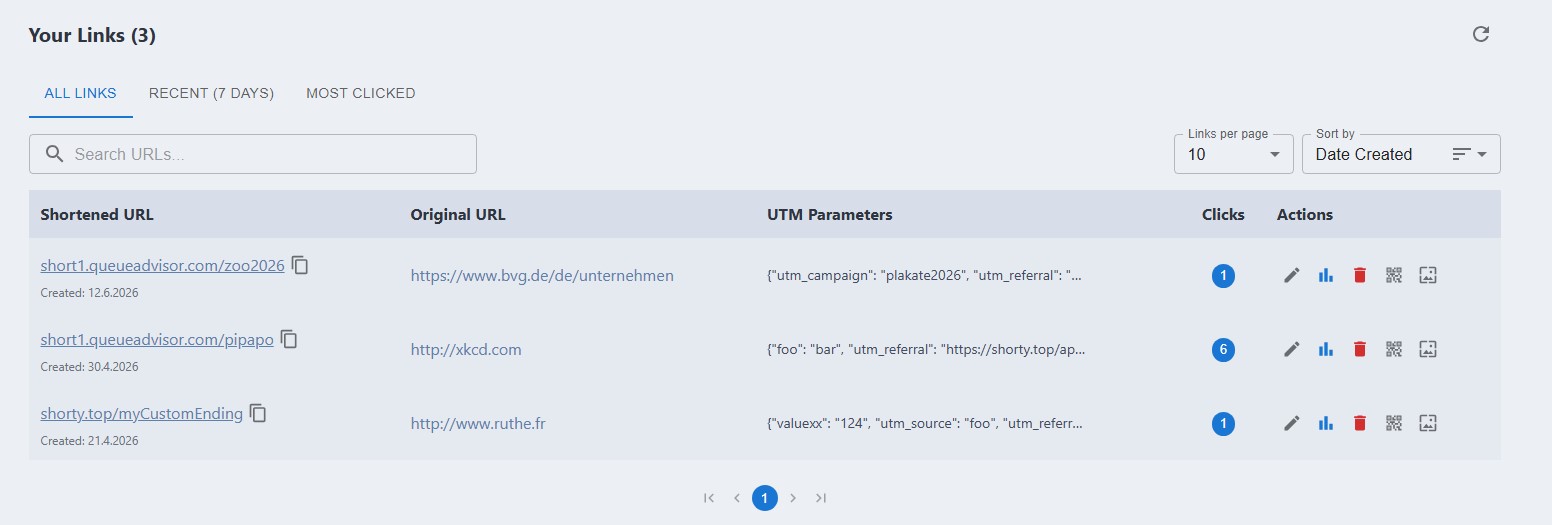
Shorty links dashboard
Step 2

Track every click

All links in one dashboard — filter, inspect UTMs, and open analytics or QR per link.

  • Click counts at a glance
  • UTM parameters visible per link
  • Analytics and QR from the actions menu
Step 3

QR codes for print

One short link for posters, flyers, and packaging — scans land in the same analytics as web clicks.

  • Branded short domains on offline material
  • Print and digital share one trackable link
  • Measure offline campaigns, not just guess
Shorty teaser — QR codes and analytics for flyers and print

Example campaign — Shorty provides the link and QR code.

Step 4

Teams without shared logins

Give each teammate their own access while billing stays with the company admin.

1

Register as company admin

Tick the box on registration — personal accounts stay the default.

2

Add subusers

Create teammates from Manage Subusers in the app.

3

Separate logins

Subusers sign in normally; you control who has access.

Enterprise feature. Teams guide on the homepage.

Start your first campaign link

Create a free account and see analytics and QR codes in minutes. Built by Wunderdata GmbH (Germany).